What This Article Covers
What This Article Covers
- Social Login Is Less About “Logging In” and More About “Confirming Who You Are.”
- It Works Like Mobile Phone Identity Verification.
- It Is Also Similar to Showing a Student ID.
- Why Don’t You Need to Create a New Username and Password?
- Is Your Password Shared Too?
- Not All of Your Information Is Shared.
- Summary
- DANA NOTES in One Line
When you visit an online shopping site or install a new app, you often see buttons like these:
- Continue with Google
- Start with Kakao
- Sign in with Apple
In the past, you had to create a new username and password for every site. Now, however, a single click can complete registration and login almost at the same time.
How is this possible?
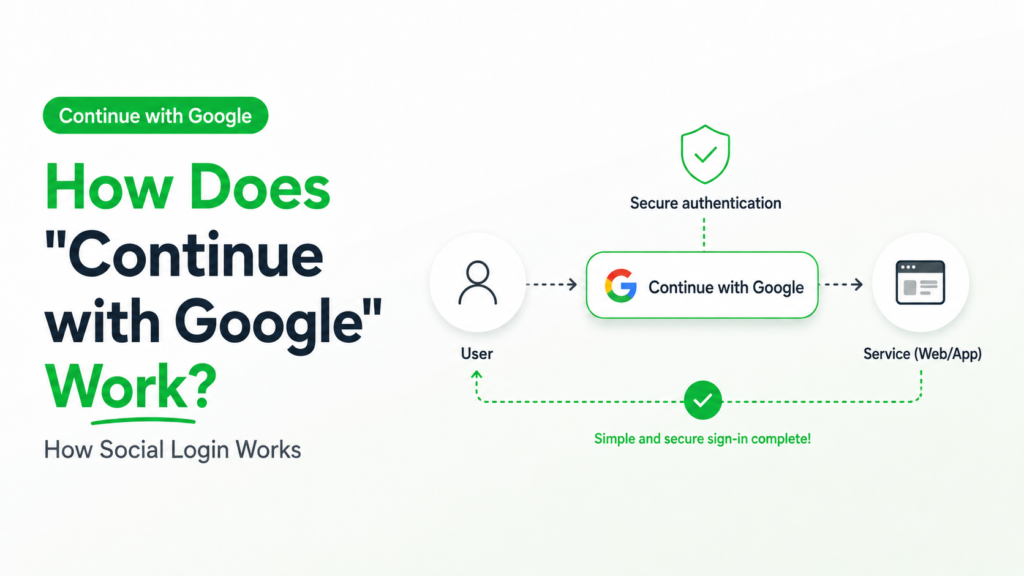
Social Login Is Less About “Logging In” and More About “Confirming Who You Are.”
Many people think of social login as
“logging in with a Google account.”
To be more precise,
it is a process in which you ask Google, Kakao, or Apple to confirm who you are.
In other words, the core of social login is not logging in itself, but confirming your identity.
It Works Like Mobile Phone Identity Verification.
When you register for an online service or carry out an important task online, you do not show your ID card in person.
Instead, mobile phone identity verification is often used.
When you enter your phone number, the mobile carrier confirms,
“This person has been verified.”
The carrier then sends the result to the site.
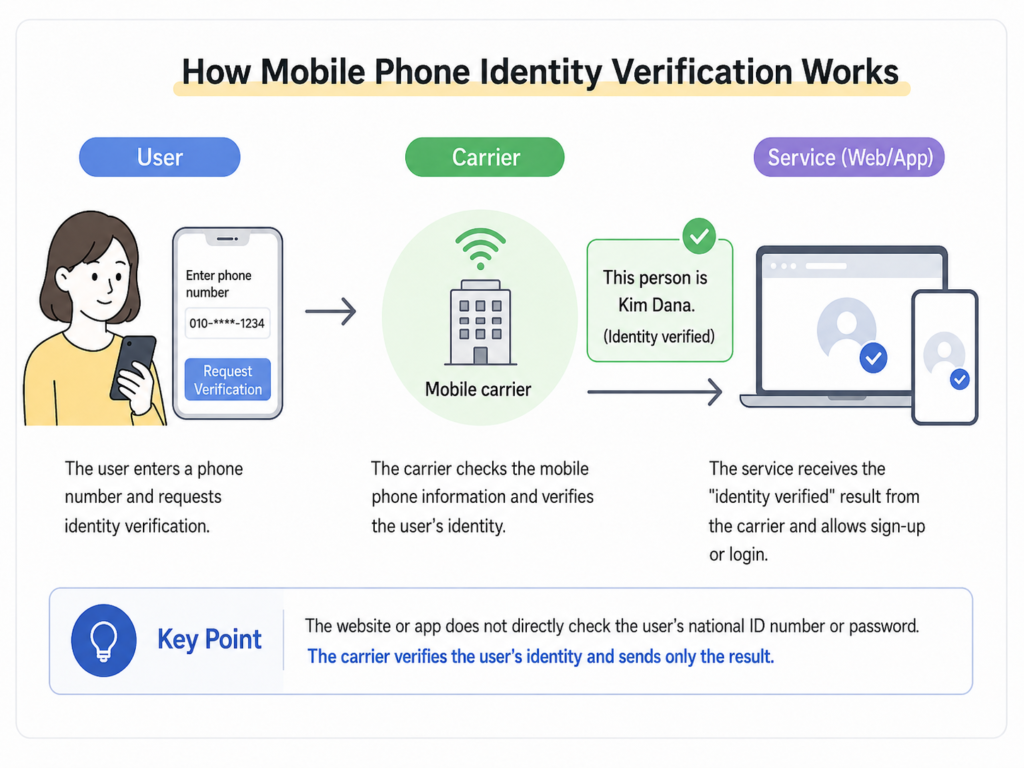
Social login works in the same way.
When Google, Kakao, or Apple confirms,
“This user has been authenticated,”
the site trusts that result and allows the user to log in.
It Is Also Similar to Showing a Student ID.
When you receive a student discount, an employee does not call your school directly to check whether you are a student.
The employee looks at your student ID and decides,
“This person is a student.”
The employee then gives you the discount.
Social login works in the same way.
A new site trusts the result already confirmed by Google or another login provider and allows the user to log in.
In other words, instead of verifying your identity directly, the site entrusts that process to a trusted provider.
Why Don’t You Need to Create a New Username and Password?
In the past, you had to create a new username and password for every shopping site or online community.
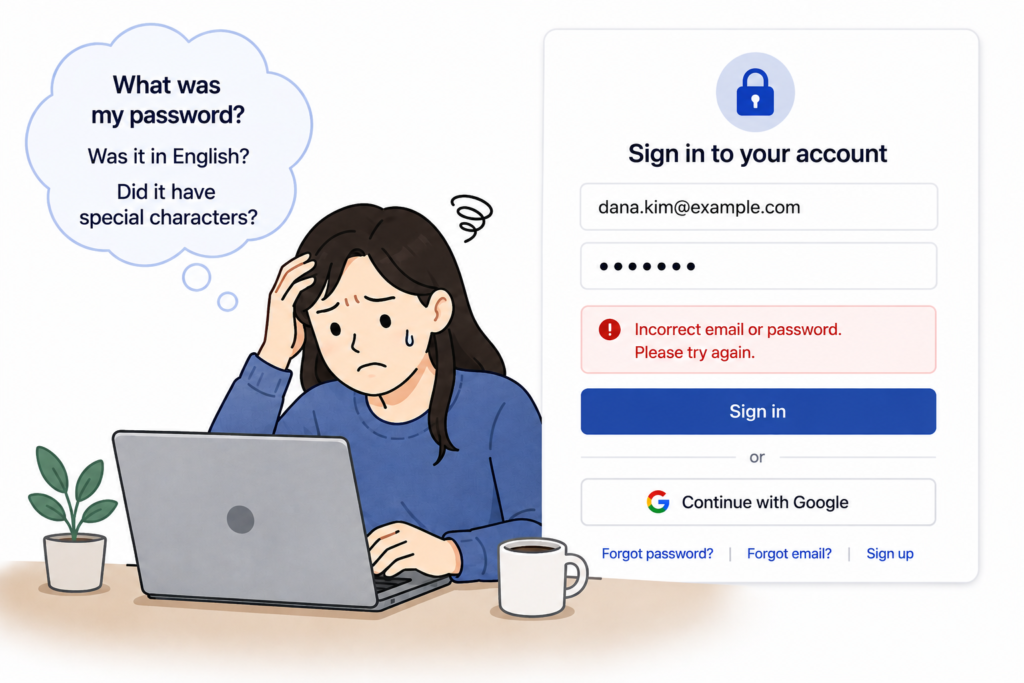
With social login, however, the login process is handled by Google or another login provider.
After Google confirms that you are the account owner,
the new site receives only the result that you are an “authenticated user” and the minimum information needed to provide the service.
That is why you can use the site without creating a new username and password.
Is Your Password Shared Too?
No.
For example, when you use Google login, only Google knows your Google password.
The new site does not receive your password.
Instead, it receives the result,
“This user has been authenticated,”
and allows the user to log in.
This method also reduces the risk of the same password being stored across multiple sites.
Not All of Your Information Is Shared.
Some people worry,
“If I sign in with Google, does that mean all of my information is shared?”
That is not how it works.
When you log in, the service first asks for your consent regarding the information that will be provided, such as your email address, nickname, or profile photo.
The new site can use only the information you agreed to share.
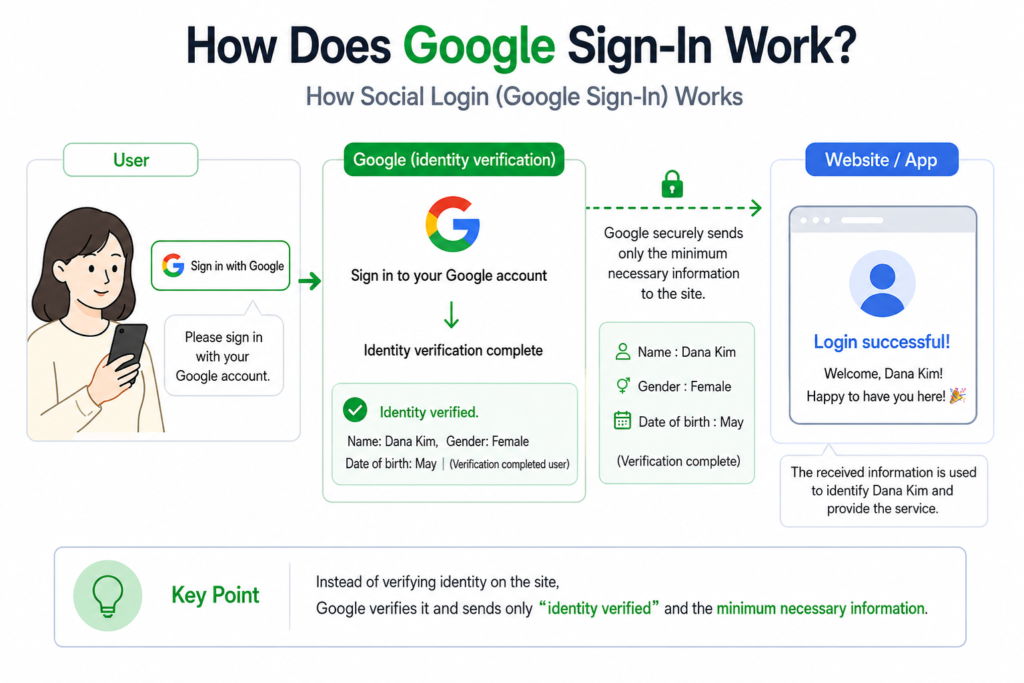
Summary
Social login is not a technology that replaces registration. It is a technology that handles identity confirmation on your behalf.
Google or another login provider confirms that you are the account owner and sends the result to the new site.
As a result, you do not need to create a new username and password for every site, and you can use various services more conveniently and securely.
DANA NOTES in One Line
Social login does not mean borrowing another service’s username. It means entrusting identity confirmation to a provider you trust.